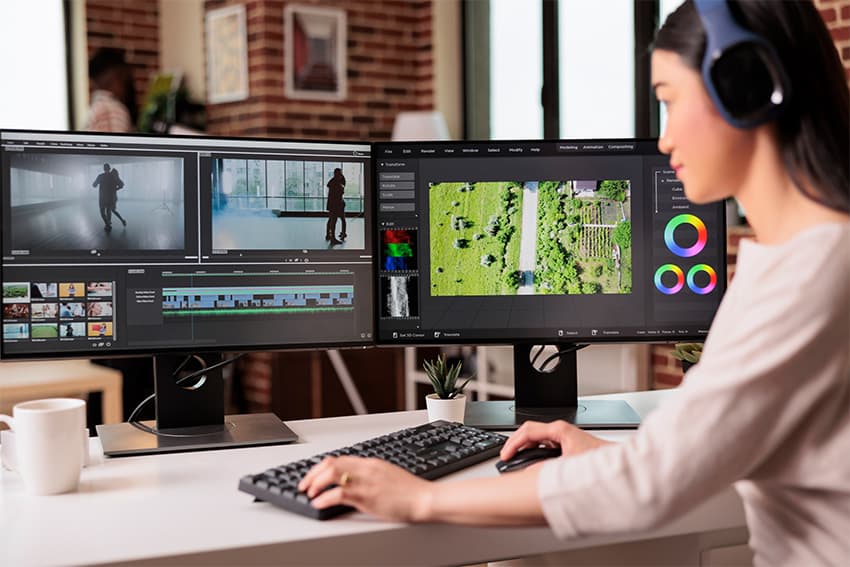
Best Monitors for Video Editing in 2023
Video editing is as much an art as it is a technical craft. From color grading cinematic footage to assembling fast-paced social media content, the quality of your monitor directly shapes the quality of your work. A great monitor reveals details that a mediocre one hides—and in a field where every pixel matters, that difference is everything.
Why the Right Monitor Matters
Choosing the right monitor for video editing is not just about screen size. It's about color accuracy, resolution, panel technology, and the ability to display your footage exactly as your audience will see it. Here are the key reasons why your monitor choice matters:
- Detail Detection: A high-resolution display lets you spot compression artifacts, noise, and imperfections that would be invisible on a lower-quality screen.
- Color Correction: Accurate color reproduction is essential for grading. If your monitor cannot display the full sRGB or DCI-P3 gamut, your color decisions will be based on guesswork rather than reality.
- Comfort: Video editors spend hours in front of their screens. A monitor with good ergonomics, flicker-free technology, and low blue-light modes reduces eye strain and keeps you productive through long editing sessions.
Our Top 6 Monitor Recommendations
1. Xiaomi 4K Grading Monitor 27"
The Xiaomi 4K Grading Monitor packs professional-grade features into a surprisingly affordable package. With its 27-inch IPS panel and true 4K resolution, it delivers sharp detail and excellent color accuracy right out of the box. The IPS technology ensures wide viewing angles, so colors remain consistent even when you're reviewing footage with a colleague sitting beside you.
What makes this monitor particularly interesting is that you can rent it through monis.rent. If you're a freelancer or digital nomad who doesn't want to invest in expensive hardware, renting the Xiaomi 4K Grading Monitor gives you access to professional color grading capabilities without the commitment of a purchase.
2. Dell Ultrasharp U2718Q
The Dell Ultrasharp U2718Q is a 32-inch 4K monitor that has earned a loyal following among video editors. Dell's Ultrasharp line is known for factory-calibrated color accuracy, and this model is no exception. It covers a wide color gamut and features USB-C connectivity, which means you can connect your laptop with a single cable that handles both video output and charging.
The 32-inch screen size gives you ample room for your timeline, preview window, and tool panels without feeling cramped. If you value reliability and a hassle-free setup, the Dell Ultrasharp U2718Q is a solid choice for professional video editing.
3. ASUS ProArt PA329C
The ASUS ProArt PA329C is built for creators who demand the absolute best in color fidelity. This 32-inch 4K monitor covers 98% of the DCI-P3 color space and supports HDR, making it ideal for high-end video production, film grading, and broadcast work. Each unit is factory-calibrated with a Delta E of less than 2, ensuring that what you see on screen is as close to reality as possible.
The ProArt PA329C also includes ASUS's ProArt Palette software, which lets you fine-tune color settings and create custom profiles for different projects. For editors who work across multiple color spaces and delivery formats, this monitor is a dream.
4. LG 27UK850-W
The LG 27UK850-W offers an excellent balance of performance and value. This 27-inch 4K UHD monitor covers 99% of the sRGB color space and features USB-C connectivity with power delivery, making it a convenient choice for laptop-based workflows. The IPS panel provides consistent colors from every angle, and HDR10 support adds depth to high-dynamic-range content.
With its slim bezels and height-adjustable stand, the LG 27UK850-W fits neatly into any workspace. It's a strong all-around pick for video editors who want 4K resolution and reliable color accuracy without breaking the bank.
5. Acer Predator X27
The Acer Predator X27 might be marketed as a gaming monitor, but its specs make it a compelling option for video editors who also game. This 4K display boasts a 144Hz refresh rate and NVIDIA G-Sync support, which means buttery-smooth playback when scrubbing through high-frame-rate footage. The 4K resolution and HDR capabilities ensure that your edits look vibrant and detailed.
If you're the kind of editor who switches between After Effects and a gaming session to clear your head, the Acer Predator X27 lets you do both without compromising on quality. It's a versatile monitor that bridges the gap between creative work and entertainment.
6. EIZO ColorEdge Series
EIZO monitors are the gold standard in professional color-critical work. The ColorEdge series is trusted by film studios, broadcast facilities, and post-production houses worldwide. These monitors deliver unmatched color fidelity with built-in hardware calibration, ensuring that your display remains accurate over time without relying on external calibration devices.
EIZO monitors are an investment, but for editors whose livelihood depends on color accuracy— whether you're delivering content for cinema, television, or high-end advertising—there is simply no substitute. If color is your top priority, EIZO is the name to know.
Final Thoughts
The best monitor for video editing depends on your budget, workflow, and the type of content you produce. For most editors, a 4K IPS panel with good sRGB or DCI-P3 coverage is the sweet spot. If you're not ready to commit to a purchase, consider renting a professional monitor through monis.rent to test different options before making a long-term decision. Whatever you choose, investing in the right display will elevate the quality of your work and make the editing process far more enjoyable.
Frequently Asked Questions
A 4K (3840x2160) resolution is recommended for video editing. It provides enough detail to spot artifacts, grade colors accurately, and view footage at or near its native resolution.
More Stories
Best Coworking Spaces in Lisbon: Prices, Day Passes & Neighborhoods (2026)

Why Working From a Laptop Is Wrecking Your Neck (And the Fix for Lisbon Nomads)